How did you use media technologies in the construction and research, planning and evaluations stages?
When making all three promotional products many different media technologies were used such as, Adobe Photoshop, Blogger, Final Cut Pro, Garage Band, iMovie, YouTube, a graphics tablet and Survey Monkey.
 When constructing audience feedback, I found the best way was to make surveys using Survey Monkey, this way I can link to a wide variety of people all over the world by using social networking sites such as Twitter, Facebook, Tumblr and others. Social Networking has become more interactive than ever in the last 12 months, you can now ‘Share’ or ‘Retweet’ certain articles that interest you and so others may also see them, I think this is very helpful. When it comes to getting responses for surveys I posted them on these sites and then followers or friends, passed it on so people who look at their page will also see. This means I can get a wider response and it won’t be subjected to only people who know me, which could be biased. After receiving the results, I would write about them on blogger.
Blogger was used to store all of my work and I labelled each post so they could be easily tracked and all the work for the products was in the same place. Blogger is a really good site to use for this, whenever I had an idea or something had changed when creating my products, I just made a new post about it. Using a blog to document work is a lot easier as everything is in one place, and it's very simple to search for anything you're looking for by labels or using the search bar. People who I am working with can also keep updated with what's going on and so can anyone else who's interested in the projects.
In pre-production when drawing the storyboards we used a graphics tablet and drew straight into Photoshop with it, where we then added colour and writing. We decided to do it this way as it would be cleared and easier to upload onto Blogger and other sites.
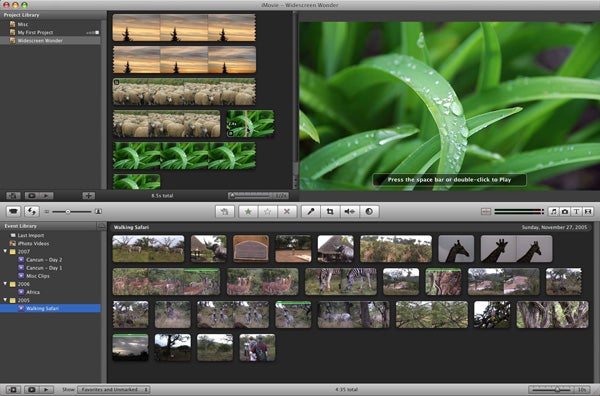

In the music video itself, a lot of effects were used to enhance the video and give it a different vibe. The main effect was that it was all changed to black and white but we also used transitions and special effects such as; Bad TV, Negative, Solarisation, Bad Film, black cuts, slow motion, fast motion, jump cuts, fade cuts and also just playing around with colour contrast to get the right look for clips.
The equipment used was a JVC handicam, a tripod and regular props such as, cricket bats, toy guns, fake blood, torn clothing and a sickle.
In the print production I made the products myself by ripping and burning pages from a map, soaking them in tea to make them look aged and then scanning them into a computer where I edited them on Photoshop CS5. On Photoshop I adjusted the colour, contrast and brightness until I had the desired effect on my work and then added in the text, choosing suitable typefaces. I also had to created several layers when making the magazine ad, one layer was too dark, so I made another and rotated it to make it look different. Then I changed the opacity to about 35% on the top layer. This made the background look a lot lighter and the text much easier to read so I kept this in my final product.
I encountered a hiccup when I opened the files on an older version of Photoshop and realized it didn’t have the fonts I needed, so I had to then go back and reopen it on the newer edition after I finished the editing.
I encountered a hiccup when I opened the files on an older version of Photoshop and realized it didn’t have the fonts I needed, so I had to then go back and reopen it on the newer edition after I finished the editing.
I created quotes from well known British celebrities and magazines to give the poster a more realistic feeling and made the digipak look like it would fit around a CD case and also added a spine to it in the post production. The celebrities and magazines were chosen specifically for the song and artist, so it would be aimed at the target audience.

No comments:
Post a Comment